
EXAMPLE 02 / PRODUCTION & MAINTENANCE

Start from one work order, one equipment check —
and let shop-floor records actually flow

Production orders, operation reporting, equipment checks and exception handling don't have to wait for “plant-wide digitalization”. Pick one shift, one work order and one machine first, and run the record loop end to end.
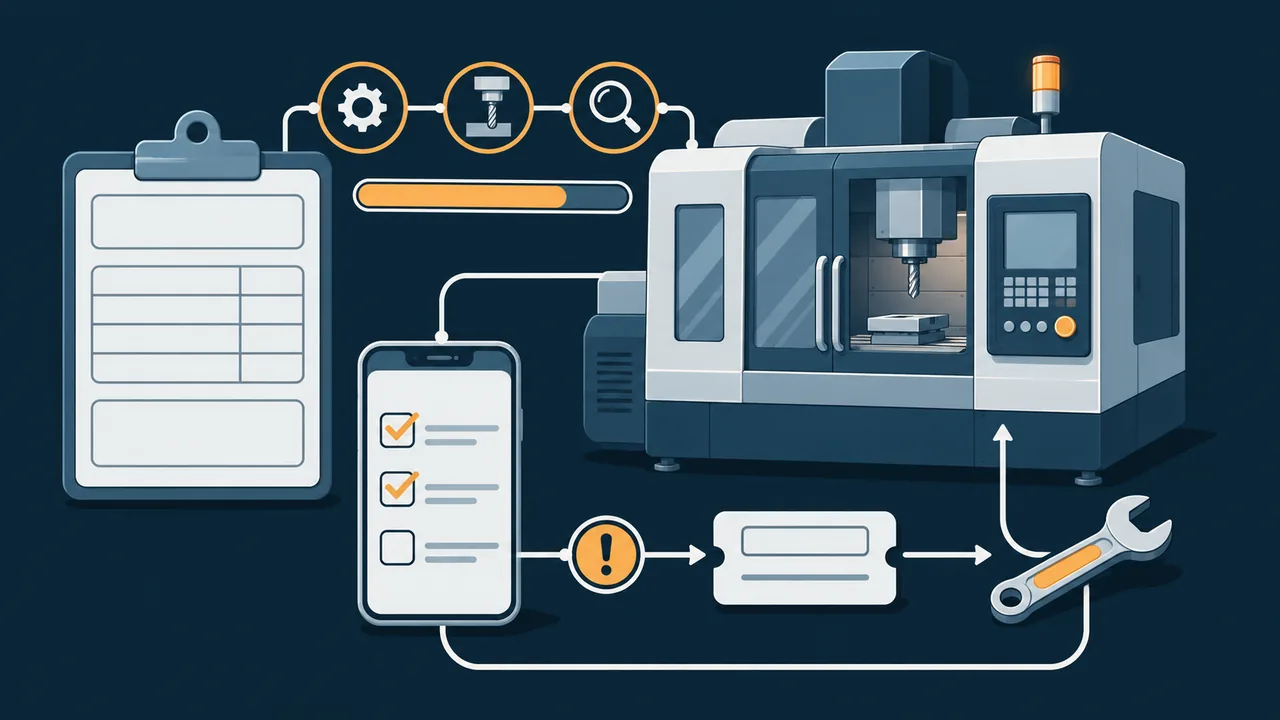
插画示意:生产工单、工序节点、手机点检清单与设备维修闭环场景
Illustration · not a real interface or client site
Production & Equipment WorkspaceInterface mockup · test data only · not connected to production equipment
Orpaon Company Workbench / Production
Workshop 1 · demo accountDEMO

Today's Production Work Orders

View quantities, progress and current status per work order

Workshop 1 · all shifts
MO-0142In Production

Flange base · 80 pcs

Operations: fine machining → inspection

60 pcs reported75%
MO-0143Awaiting Inspection

Connecting plate · 120 pcs

Operations: stamping → inspection

120 pcs reported100%
MO-0144Material Shortage, Unconfirmed

Bracket assembly · 40 sets

Operations: preparation → assembly

8 sets kitted20%

MO-0142 Operation Records

Order due date: Nov 07
OperationShift / TeamPlanned / CompletedLatest ReportStatus
CuttingShift 180 / 80 pcs08:42Completed
Fine MachiningShift 180 / 60 pcs10:26In Production
Dimension & Appearance InspectionQC TeamSample of 5 pcs—Not Started

This page only simulates interface states; it reads no equipment, uploads no photos and creates no real work orders.

BEFORE / AFTER

Leave shop-floor issues on record, not just on the phone

Before: progress by asking, checks by backfilling

  • Paper work orders reached shifts by hand, and managers chased progress by phone
  • Reported quantities were tallied afterwards, so near-due orders surfaced late
  • Check sheets were backfilled at month-end, and flagged anomalies had no closure loop
  • Repair history sat in personal notes, hard to trace across shifts

After: work orders and exceptions close through a defined flow

  • Shifts report by operation; order progress and exception status are queryable
  • Shortage, pending-inspection and completion states carry clear ownership records
  • Mobile checks keep unfinished items, and anomalies can become repair orders
  • Equipment register, maintenance, checks and repair history reviewed in one place
DELIVERY BOUNDARY

Use the right-sized capability first — don't turn lightweight needs into a big project

Can be part of first-phase delivery

  • Production orders, basic BOMs, operations and reporting flow
  • Work order status, shortage exceptions and a basic production board
  • Equipment register, maintenance cycles and check templates
  • Mobile checks, anomaly records and a basic repair closure loop
  • Agreed base data import and shift training

Requires dedicated research and customization

  • Complex scheduling, multi-operation error-proofing and industrial shop-floor terminals
  • Spare parts, downtime analysis and full EAM capability
  • Direct PLC connection, machine linkage and automatic control
  • Complex manufacturing genealogy and operation parameter traceability
  • Interfaces to existing ERP, WMS or quality systems
ACCEPTANCE

Accept on real business samples, not just a big screen

Walk one work order through the full flow

Check release, reporting, completion, pending inspection and exception states.

Close one exception end to end

From a check anomaly to a repair order, then back through equipment history.

Match one set of data with the shop floor

Sample-check completed quantities, shifts and times — not just how the interface looks.

Keep phase-one scope in check

Machine linkage, complex scheduling and the like become separate projects, not part of baseline acceptance.

Next demo

Business & Production Dashboard

Managers can read the trends and drop back to details to verify the data.

Keep Reading