
A one-stop digital application center for SMEs

More than just software —
a complete
digital toolbox for your business

File collaboration, customer management, project work orders, knowledge bases, dashboards, device connectivity... Apps are selected on demand, with unified deployment, unified backup and ongoing operations. Enable what you need today and expand as you grow.

For manufacturing companies of roughly 5–200 people Private deployment available Costs and scope confirmed item by item Digital employees already run in Orpaon's own operations
ORPAON / WORKSPACE

Company App Center

One entry point, enabled step by step as your business grows

Interface mockup · demo data
A catalog that keeps expandingClick an icon to view the plan or interface mockup
01
A rich app selectionOne team for many types of digital needs
02
Adoption doesn't have to happen all at onceChoose what the business needs at its current stage
03
Someone is accountable after deliveryDeployment, backup, monitoring and operations with a defined scope
01 / WHY ORPAON

What you lack isn't yet another piece of software —
it's digital capability that can scale, with someone to maintain it

A rich selection doesn't mean installing everything. Start by spelling out the real problems, then decide what to enable first and what to defer.

One tool isn't enough, and buying more gets costlier

Different problems sit with different vendors and tools, and the cost of choosing keeps growing.

Choose from many apps in one place, and enable what you need now

One account per tool, with data that never connects

Staff log in again and again, while orders, customers and files stay hard to link.

A unified app entry point; account and data integration accepted per project

Software bought but never deployed, and staff can't use it

Installation is only the start; data migration, permission setup and training decide whether it actually gets used.

Deployment, migration, training and ongoing operations handled by one team

Limited budget now, and fear of starting over later

You want to solve today's problems without re-tendering a vendor every time new needs appear.

Reuse existing investments first and expand within the same app center

Data sits on someone else's platform, and you worry it can't be migrated

Business data, administrator rights and eventual handover need to be spelled out in advance.

Private deployment, data export and exit-handover terms supported

When something breaks, you chase answers across multiple parties

The salesperson, the software vendor and the hardware vendor each own a piece, so responsibility for failures is hard to pin down.

One team handles support within the agreed scope
02 / APPLICATION MENU

Choose apps by business task,
not by memorizing a list of software names

From office collaboration to device connectivity, the catalog can be rich; the first rollout is sized to your company's stage, data readiness and team capacity.

View all ten app categories

Office & Collaboration

Give files, knowledge and tasks one home.

  • File & Drawing Center
  • SOPs & Knowledge Base
  • Project Tasks
  • Workflow & Approval Assessment
View Office Apps

Business & Management

Connect customers, orders and business data.

  • Customers & Sales
  • Purchasing & Inventory
  • Project Work Orders
  • Business Dashboard
View Business Apps

Production & Equipment

Put shop-floor progress, equipment checks and traceability on record.

  • Production Work Orders
  • Equipment Register
  • Equipment Checks & Maintenance
  • Quality & Batch Traceability
Enter the Shop-floor Demo

IT & Security

Someone keeps watching system health and data recovery.

  • IT Assets & Tickets
  • Independent Backup
  • Server Monitoring
  • Access & Remote Support
View the Ops Demo

Industry & Custom Solutions

Handles shop-floor needs that standard apps cannot cover.

  • SCADA & Host Computers
  • Lightweight MES
  • Equipment Data Acquisition
  • Integration with Existing Systems
View Assessment Boundaries
03 / SEE IT IN ACTION

See the interfaces and workflows first, then decide how to deploy

The interface mockups below were produced by Orpaon. They demonstrate business workflows with test data, are not client cases, and do not constitute a guarantee of results.

Browsable interface mockup · demo data
Demo 01

Company Files & Knowledge Center

Stop scattering files across personal computers and group chats. Search drawings, check version history, and see how permissions and offboarding account revocation are accepted.

Search & PermissionsVersion HistoryNextcloud
View the File Center Mockup
Demo 02

Production Work Orders & Equipment Checks

Start with one work order and one equipment check, and get shop-floor records actually flowing. Switch views for production progress and the mobile check-to-closure loop.

Work Order ProgressMobile Equipment ChecksLightweight MES
View the Production & Checks Mockup
Demo 03

Business & Production Dashboard

Don't just store the data — make it legible and traceable for managers. Switch dates and shifts to view trends, metrics and exception details.

Business MetricsException Drill-downMetabase
View the Business Dashboard Mockup
Demo 04

IT Operations & Backup Status

Software delivery isn't the end. Check device status, backup results and service tickets, and rehearse a restore from snapshot selection to verification.

Backup & RestoreService TicketsGLPI / Zabbix
View the Operations & Restore Mockup
Demo 05

Customer & Sales Follow-up

Keep track of every customer instead of relying on memory. Filter opportunities by stage, search customers, view follow-up reminders, and check version boundaries for quoting and automation.

Opportunity StagesFollow-up RemindersEspoCRM
View the Customer & Sales Mockup
Demo 06

Digital Employee Workbench

Routine work gets done, with the process on record. See today's schedule, execution logs, human review and alerts on one page, and simulate one “review and release”.

Scheduled TasksExecution LogHuman Review
View the Digital Employee Workbench Mockup
These demos address the “systems” side; routine content production, inspections and data consolidation can also be handed to Digital Employees for routine work — with a mapping of manufacturing pain points, see Digital Employee Case Study。
04 / DELIVERY MODEL

One digital foundation, one company app center,
with deployment and operations under one roof

“Value for money” isn't free software — it's seeing the total investment, the cost of choosing and the boundaries of future accountability clearly before you commit.
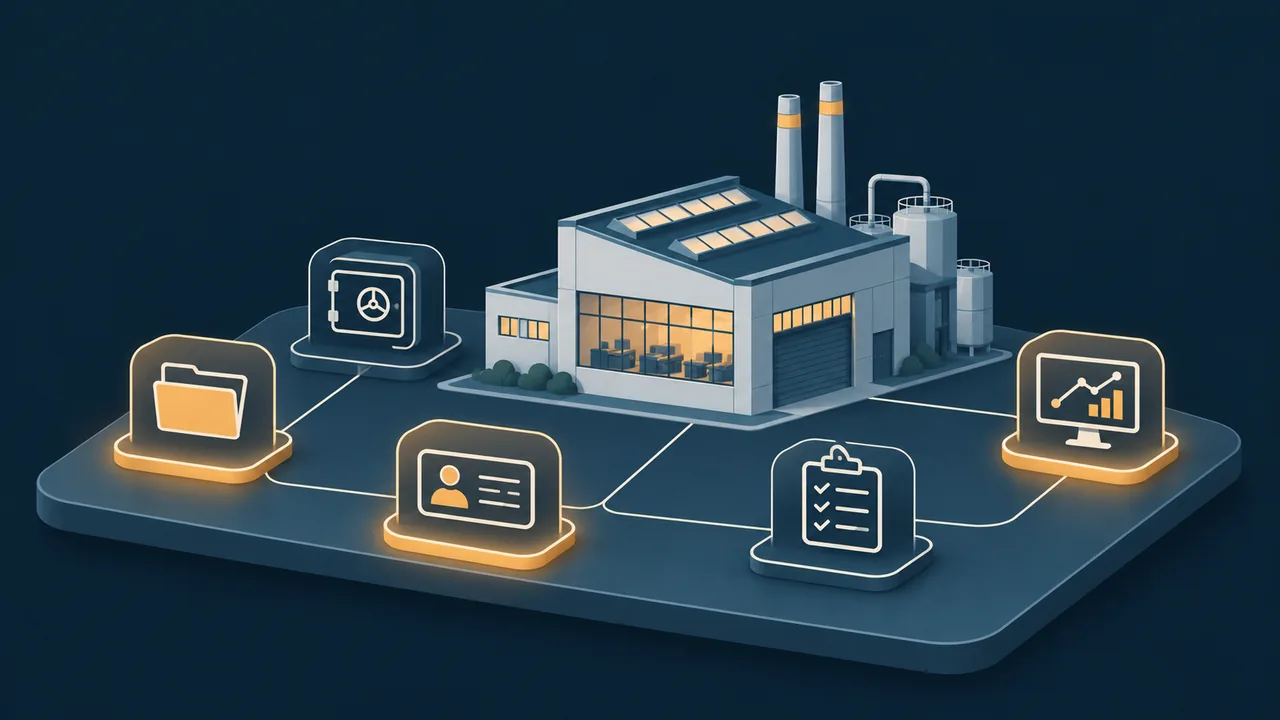
插画示意:多种应用模块围绕工厂组合在同一数字化底座上
Illustration · apps combined on demand on the same foundation; not a real interface
01 / Foundation

Stabilize the running environment first

Base resources are sized to your data volume, concurrency and existing equipment — not stockpiled for “maybe later”.

  • Hardware or cloud resources
  • App portal, domain and certificates
  • Independent backup and security updates
  • Basic monitoring and logs
02 / App Menu

Enable what's needed now, on demand

Open source, commercial software and custom capabilities are selected per scenario, with implementation work and third-party licenses itemized separately.

  • Feature and version verification
  • Data migration and account setup
  • Training and business acceptance
  • Future expansion path
03 / Operations Service

Someone keeps managing it after delivery

Service hours, remote support, inspections and upgrade scope are written into the service agreement, not left to verbal promises.

  • Tickets and response process
  • Backup checks and restore drills
  • Inspection reports and exception handling
  • On-site scope and upgrade boundaries
Current-state AuditEquipment, accounts, data and existing systems
App SelectionClear inclusions and exclusions
Small-scope AcceptanceValidate workflows with real business samples
Ongoing OperationsInspections, backups and support as agreed
05 / DIGITAL STAFF

Beyond apps,
you can also add digital employees to the team

A digital employee (AI agent) is an AI worker with an account, a task list and a work log: producing content on schedule, patrolling systems and consolidating data. Orpaon's own website operations and multi-platform publishing are handled daily by digital employees.

View the Digital Employee Case Study
Content Operations Role

Drafts articles and image concepts on a per-column schedule and adapts them for on-time publishing across platforms; human review is retained before publishing, as agreed.

Routine Inspection Role

Checks website availability, backups, certificates and disk status on a schedule, reports anomalies immediately, and handles routine tasks automatically overnight.

Data Consolidation Role

Consolidates daily drafts of order, inventory and follow-up sheets, cross-checks differences and alerts the person responsible.

Internal Knowledge Assistant

Answers questions by retrieving from your own SOPs and document directories, citing sources rather than inventing content.

Digital employees run in the company's own environment, operate under independent accounts, and log every step; review switches and revocation methods are defined in the project agreement. Roles and boundaries: see Digital Employee Case Study, and the running interface: see Demo 06。
06 / BUILD YOUR LIST

Tick the problems you face,
and get a tailored digital app list

It lists not only “what to buy” but also what can wait and what is not yet recommended for purchase, so the system isn't overbuilt from day one.

What do you most want to solve now?

Multiple selections allowed. Put the most urgent items first; you don't need to tick everything at once.

The list is generated locally in your browser. Nothing is uploaded, and no un-researched quote is issued automatically.

Your Step-by-step App Plan

After you tick problems on the left, this area shows what to enable first, what to expand later, what is not yet recommended for purchase, and how costs break down.

The result supports needs analysis and does not replace on-site research or a technical agreement. A formal plan will verify software versions, user counts, data volumes, existing systems and acceptance criteria.
Once you have the list, email it to tyrone@orpaon.com, or call 156 0172 3391, and we will suggest a software selection and implementation approach based on its scope.
07 / FAQ

Before purchasing, answer these practical questions

With so many apps, do we have to install everything on day one?
No. The App Center is a menu for later expansion; the first rollout is set by current business priorities. You can start with files, backup or a single production work order for small-scope acceptance, then add customers, inventory, dashboards or device connectivity step by step.
Does open source mean zero cost?
No. Licensing is only part of the total investment, which also includes hardware or cloud resources, deployment and migration, training, backup, security updates and ongoing operations. Some premium features, plugins or commercial support may involve third-party fees, all itemized at selection time.
Does a unified App Center mean all systems automatically share accounts and data?
No. A unified portal can provide a centralized entry point first. Unified identity, single sign-on, cross-system data links and API sync must be verified app by app, with scope, cost and acceptance methods defined in the project.
We already have finance software, an ERP, or DingTalk and WeCom. Do they need to be replaced?
Reuse is evaluated first. Existing tools keep doing what they do well; new apps fill the gaps. China-specific finance, tax, invoicing, local reporting and complex approvals in particular require dedicated validation. Mature business systems are not replaced with open source by default.
Can I log in and operate the interfaces on these pages?
The pages provide browsable interface mockups. Operations are simulated locally with test data and connect to no real system. Accounts, permissions and acceptance for a production environment are confirmed item by item in the project plan.
How is handover handled when the service ends?
The project agreement defines data export formats, administrator rights, backup copies, documentation and exit handover. The client holds full administrator rights, while the service provider uses independent, revocable accounts; specific permissions and approval logs are included in acceptance.
Won't digital employees publish recklessly or tamper with our systems?
They are never authorized to do that. Digital employees use independent accounts with agreed-scope permissions and leave an operation log at every step. External publishing keeps a human-review switch, and anything touching funds, contracts or pricing produces drafts and alerts only, with no automatic execution. Accounts can be revoked at any time, and in-progress tasks can be handed over.